Home > > Operation Guide
Method 1:Copy the link below, paste and send it to your wechat on your mobile phone. Click on it to enter the mini-program.
#小程序://BleETago/6151dlIznAU0Rlm
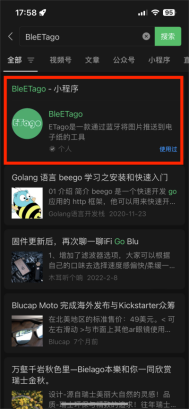
Method 2:In the search box at the top of wechat on your mobile phone, enter "BleETago" to find the mini-program.
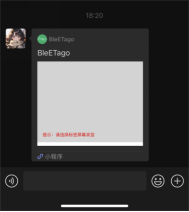
Method 3:You can share the "BleETago" wechat mini-program with the salesperson and click to enter.
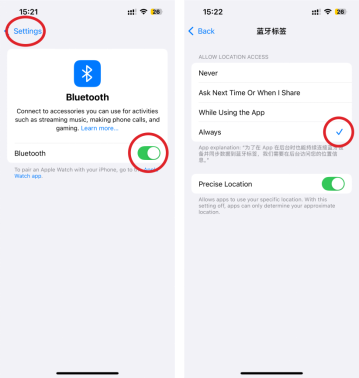
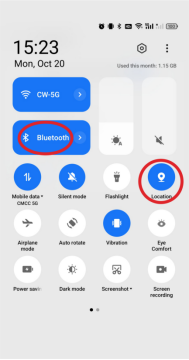
When running the mini-program, you need to turn on the Bluetooth and location functions of your mobile phone.
iOS phones: Location of Bluetooth and positioning functions.
Android phones: The location of Bluetooth and positioning functions.
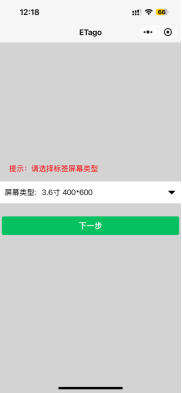
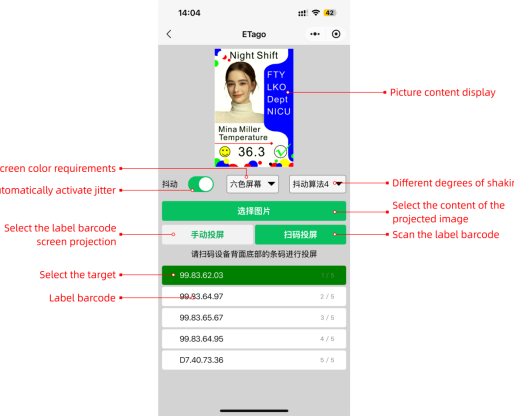
Step 1:Select the type of electronic tag screen you have purchased.
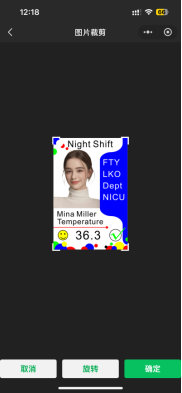
Step 2:Click on “Select Picture” to choose the picture content you want to flood the screen from your phone's album.
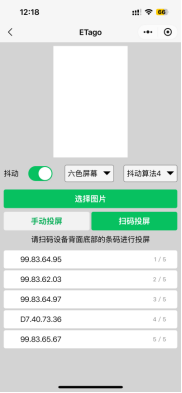
Step 3: Screen projection supports two methods, and you can choose either one according to your needs.
Manual screen projection: Check the barcode at the bottom of the back of the electronic tag, and select the target barcode in the operation interface.
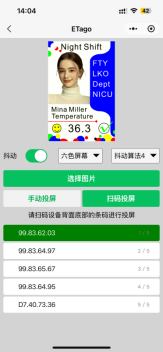
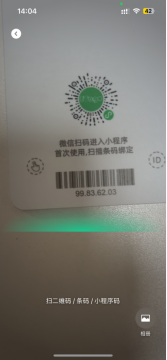
Scan code projection: Enter the system's scan code page and use the scanning function to aim at the barcode at the bottom of the back of the electronic tag.
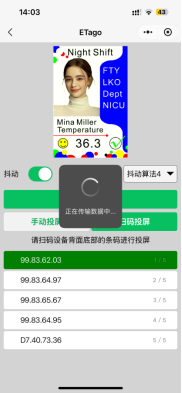
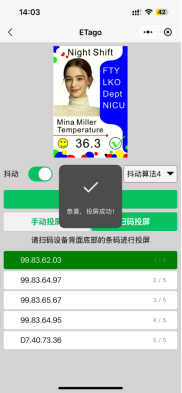
Step 4: Screen projection will display "Data transmission in progress", and upon completion, it will prompt "Congratulations, screen projection successful".

 EN
EN
 FR
FR
 JA
JA
 RU
RU
 ES
ES