Home > > Operation Guide
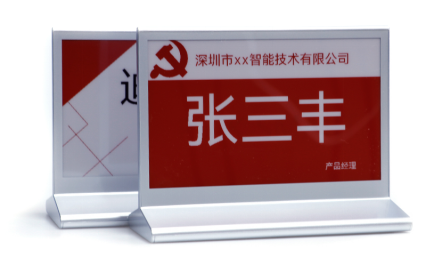
Right side: Type-C interface charging
Red light on the R button indicates charging
Blue light on R button indicates full charge
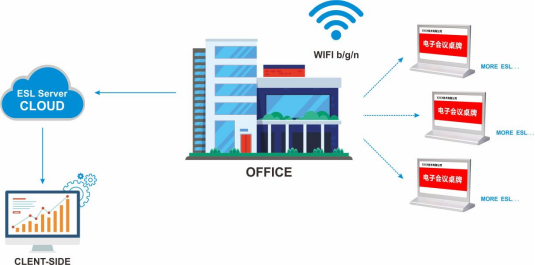
Local solution: client + cloud server
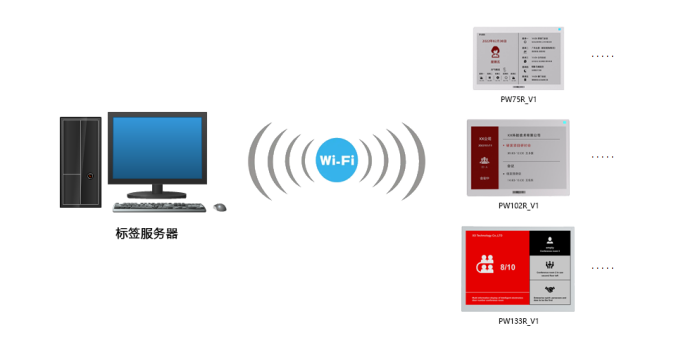
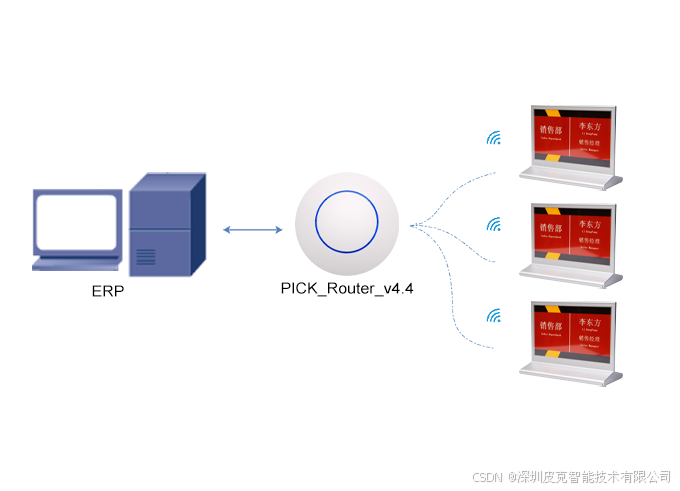
Cloud service solution: Service software + WIFI label
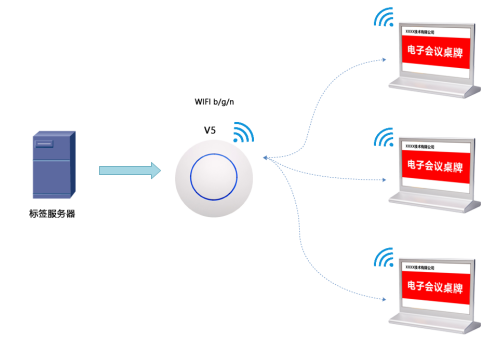
V5 base station scheme: V5 controller + WIFI label
Device Registeration Process
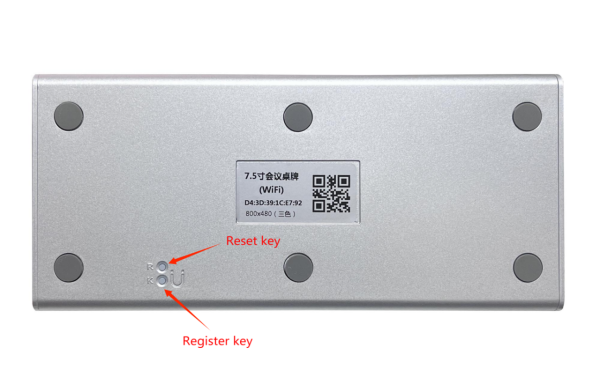
K: register key R: reset key
Press the K key for a long time and the green light will be on for a long time. Press the R key again and release the key after the green light flashes quickly. When the green light flashes slowly, the device can enter the configuration registration mode.
Log in to the WiFi label management system:http://192.144.234.153:8000/index
Test account:user1080 Cipher:123456 (For test use only)
Download software package: 
http://a.picksmart.cn:8088/picksmart/app/WiFi-Tool-Setup-V1.0.37.zip
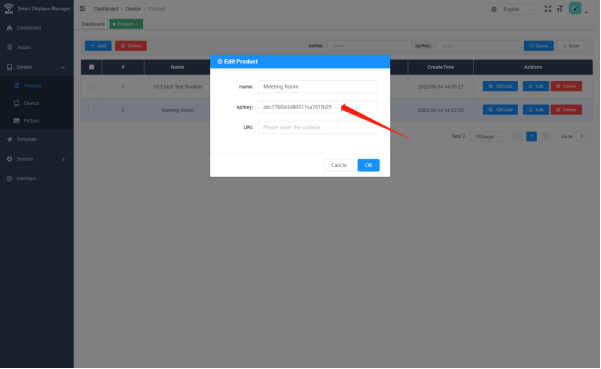
1.Log in the system to Device Management-Product management, copy the value of [product KEY], go to [wifi-tools] software tool, fill in the parameters and go to the next step;
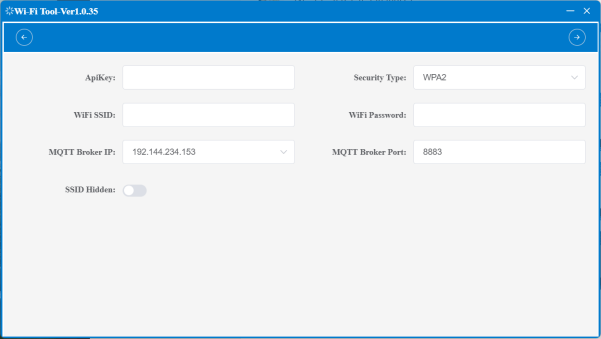
Note: Laptop is recommended if the computer has WIFI connection, with wireless card
2. Click [Start Search], the MAC address of the product device is displayed successfully, and the green light blinks slowly;
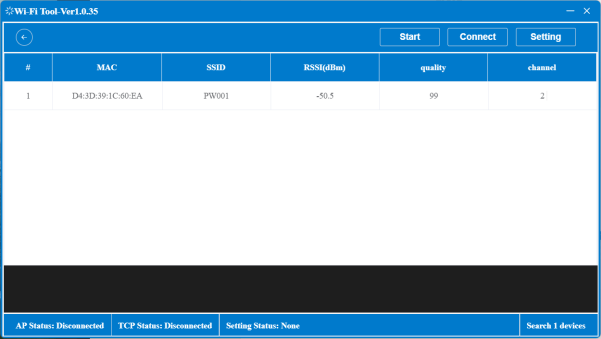
Note: If you can't find it, click the WIFI in the lower right corner of the computer to refresh
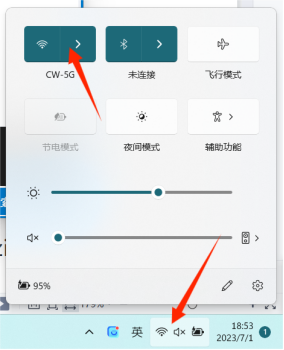
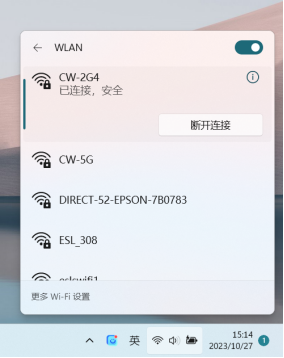
3.Click Connect Device. AP connection status in the lower left corner: Connect, indicating that the device is connected.
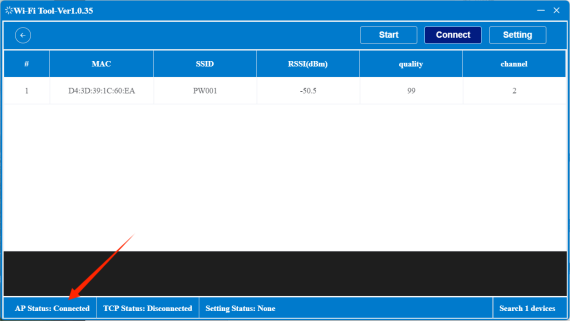
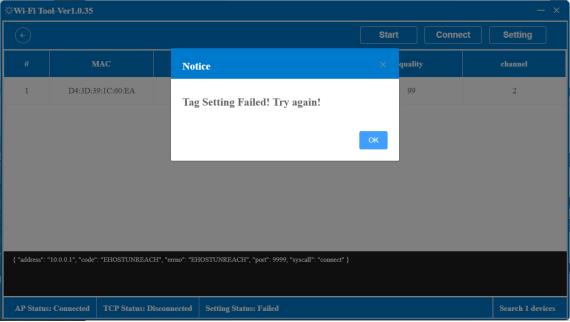
4.Click [Set parameters], the lower left corner of the TCP connection status: connection, pop up the label setting successful prompt, indicating that the device parameters successfully registered, the green light will blink a few times faster, and the indicator will automatically turn off.
Operation Process
http://192.144.234.153:8000/index
① Click the URL link to log in to the WiFi label management system
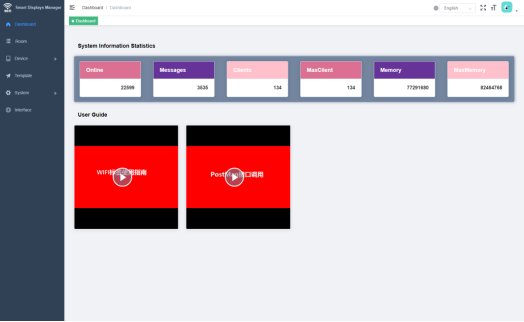
② Template Management - New, select the screen resolution
③ Template editing, select the device MAC address parameters, click the screen to refresh the screen
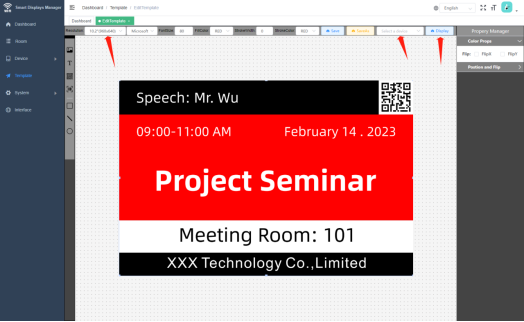
④ Als het sjabloon in andere software wordt gemaakt, moet de resolutiegrootte van het bijbehorende label worden ingesteld
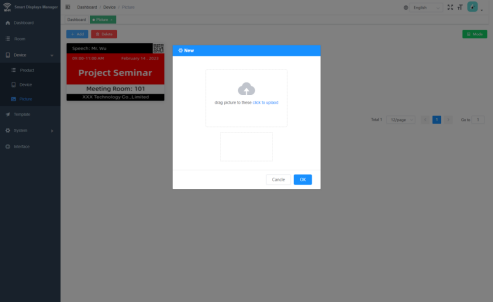
⑤ Device management - Image management - New, upload image template
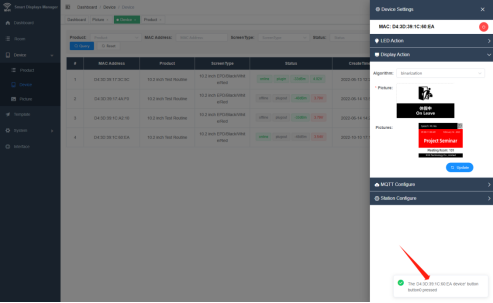
⑥ Press the K key in the base of the product, and the MAC address of the device will be displayed in the lower right corner. Copy the parameters to the MAC address search device managed by the device, and click the Settings screen to refresh the uploaded image template
 EN
EN
 FR
FR
 JA
JA
 RU
RU
 ES
ES